Connect AI to existing systems
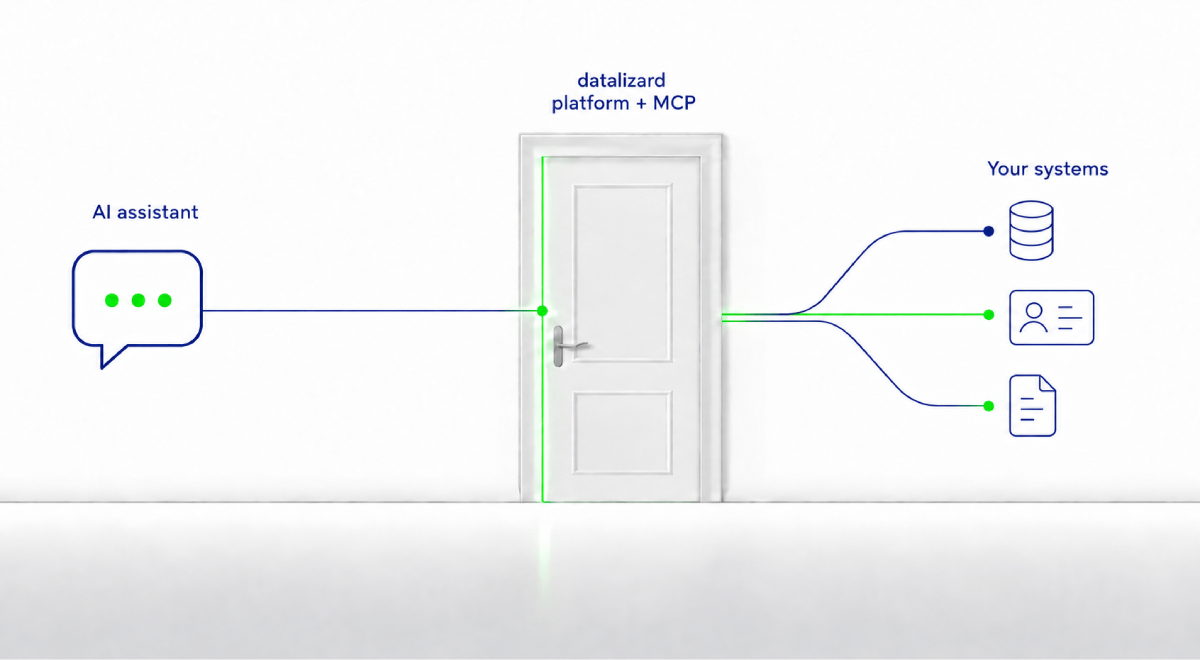
You decide what the assistant can access
Your employees ask an AI assistant questions that require information from your business applications. To answer them, it needs access to those systems. Think of that access as a door: AI is on one side; your core system, CRM and business applications are on the other. You decide how far the door opens.
The datalizard platform connects your existing applications and makes selected functions available to AI. The roles and permissions of the person using the assistant determine which functions it can see. If they are not authorised to see certain information, that information is not retrieved for their assistant either.
The rules sit outside the AI model. You control what passes through the door: which functions AI can use, which data it sees and how its activity can be traced.
MCP server: connect AI without vendor lock-in
MCP stands for Model Context Protocol. This open standard allows AI assistants and AI agents to discover and call the tools available to them. A tool might retrieve information from an ERP system, run a calculation in a business application or prepare a step in a workflow.
Datalizard provides its own MCP server, which makes selected functions of the datalizard platform available to AI applications. If Abacus, Finnova or a custom business application is already connected to the platform, you can reuse that integration for the next AI use case without building it again from scratch.
The MCP server does not decide which permissions apply. The rules of the platform and the connected systems determine which tools an assistant may use. The AI model has no additional permissions of its own. You can therefore replace the model without rebuilding the connections to your business systems or redefining the access rules.
AI assistant permissions: what it can do and what it can see
The assistant has no permissions of its own: Two employees can use the same assistant but have access to different functions and data. The target system decides whether access is allowed, based on existing roles and permissions. Data the user is not authorised to access is never retrieved. It is not sent to AI first and filtered out afterwards.
Access does not mean the model receives all the data: Even when access is allowed, the model does not need to see every record. A calculation involving thousands of accounting entries can run where the data is held. The model receives only what it needs for the next step, such as the data structure or the result of a calculation. You control both what AI is allowed to access and which information is actually passed to the model.
Changes require approval: We treat reading data and making changes differently. If the assistant wants to make a change, the specific action is first saved as a proposal. A person reviews what is to be done and approves that exact action. Only then is it carried out.
Audit log: trace how an AI response was produced
A convincing answer is not always enough. When AI is used in business processes, you need to be able to establish later what a response or action was based on.
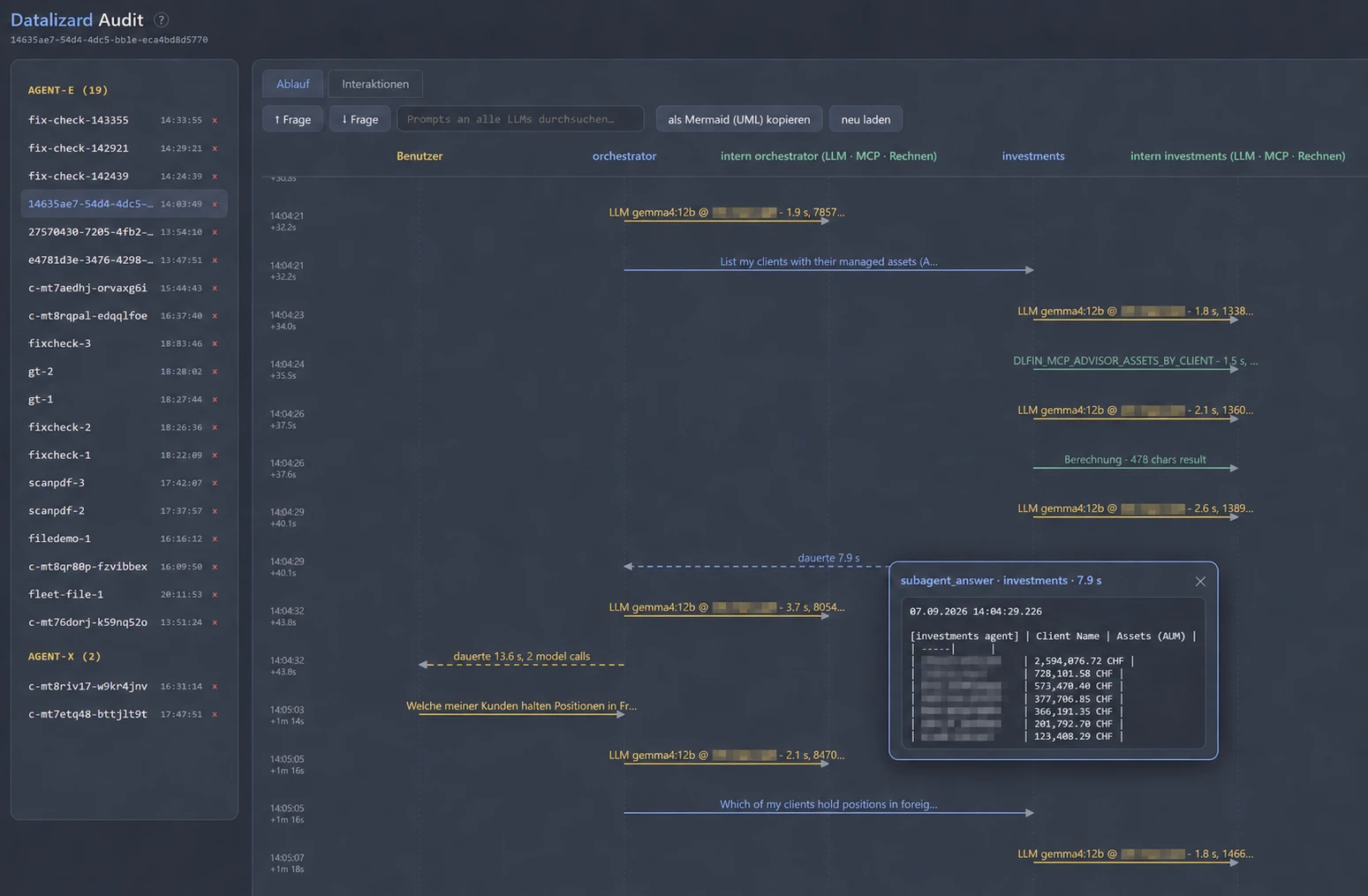
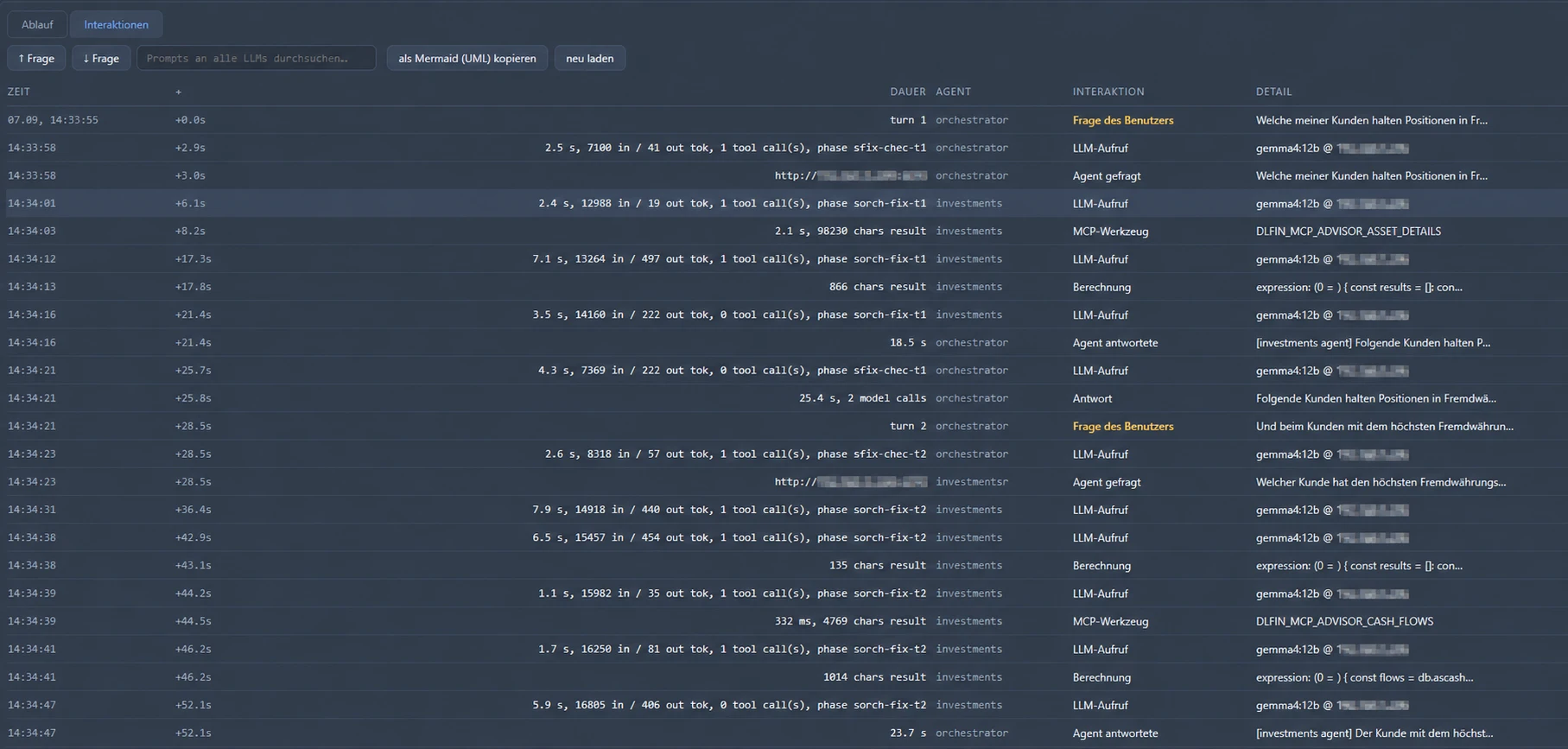
The audit log records how each request was handled: which functions were called, with which parameters? What information left the company? What results were returned? When a change is made, the log also records what was proposed, what was approved and what was actually carried out.
You can then reconstruct how a response was produced or an action was taken.
The log is protected too
The same rule applies to the log as to the assistant: no one sees more than they need for their work. Log entries contain parameters and results, including the very information you want to protect. Before AI is put into use, you define who can view which entries and how long they are kept.
Getting started: begin with a specific business question
Waiting until all your company data is in order before using AI is the surest way never to get started. We begin with a business question that matters to your company. That question tells us which information is needed and which system provides the authoritative value. We check and clean up the data needed for that first use case.
To begin with, we make only read-only functions available. Further tasks follow once the data and processes are ready to support them.
-
Business question
Start with a specific business question.
-
Authoritative source
Identify which system provides each value.
-
Relevant data
Clean up only the data needed for the question.
-
Define the rules
Permissions, risks and impact of a wrong answer.
Freqently asked questions about MCP servers and AI
What is an MCP Server?
An MCP server makes data and functions from your systems available to an AI model. MCP stands for Model Context Protocol, an open standard. The model uses it to call tools, such as a query in an ERP system or a calculation in a business application. The platform and target systems determine which tools it may use. You no longer need a separate integration for every combination of system and model.
What does an MCP server change in the existing system landscape?
Very little. Your systems stay where they are. A central access layer gives AI models and other applications access to information and functions, rather than requiring separate interfaces for each application. You can add further AI use cases without changing the architecture.
How does an MCP server keep AI activity traceable?
Every request passes through the MCP server and is recorded in the audit log. The log shows which functions were called, which parameters were used and what information left the company. You can check later how a response was produced. This is particularly important in regulated environments, where decisions must remain auditable.
How do I avoid vendor lock-in with an AI model?
Keep system integration and access rules outside the AI model. The datalizard platform makes data and functions from your systems available through the open MCP standard. Any model that supports MCP can use the same integration. You can switch models while keeping the integration in place. The new model may behave differently, however, so we recommend testing it on a specific use case before switching.
How does the datalizard platform implement MCP integration?
Datalizard runs its own MCP server, which makes selected platform functions available to AI applications. If a system such as Abacus or Finnova is already connected, you can reuse that integration for further use cases without developing it again. The platform, connected systems and defined workflows enforce permissions and record activity.